Tansee

Home Download Purchase Support Affiliate Info


Products:
iPod Transfer Tansee iPod Transfer
--- copy iPod song/video to computer

iPod Photo Transfer Tansee iPod Transfer Photo
--- copy iPod photo to your computer

iPhone Transfer Tansee iPhone Transfer
--- copy iPhone song/video to computer

iPhone Photo Transfer Tansee iPhone Transfer Photo
--- copy iPhone photo to your computer

iPhone SMS Tansee iPhone Transfer SMS
--- copy iPhone SMS to your computer

iPhone SMS Tansee iPhone Transfer Contact
--- copy iPhone Contact to your computer


Product Packs:
iPod Copy Tansee iPod Copy Pack
--- Tansee iPod Transfer +
Tansee iPod Transfer Photo


iPhone Copy Tansee iPhone Copy
--- Tansee iPhone Transfer +
Tansee iPhone Transfer Photo


Most Asked:
How to Get Full Version of Tansee Products?

How to transfer song/video from iPod to 
		computer How to transfer song/video from iPod to computer?

How to transfer photo from iPod to 
		computer How to transfer photo from iPod to computer?

How to transfer song/video from iPhone to 
		computer How to transfer song/video from iPhone to computer?

How to transfer photo from iPhone to 
		computer How to transfer photo from iPhone to computer?

How to transfer SMS from iPhone to 
		computer How to transfer SMS from iPhone to computer?

How to transfer Contact from iPhone to 
		computer How to transfer Contact from iPhone to computer?


How to Transfer Photo from iPod to Computer?


Step 1: Download Tansee iPod Transfer Photo free trial version here, and then install it. Skip this step if already done.

Step 2: Connect iPod to your computer.

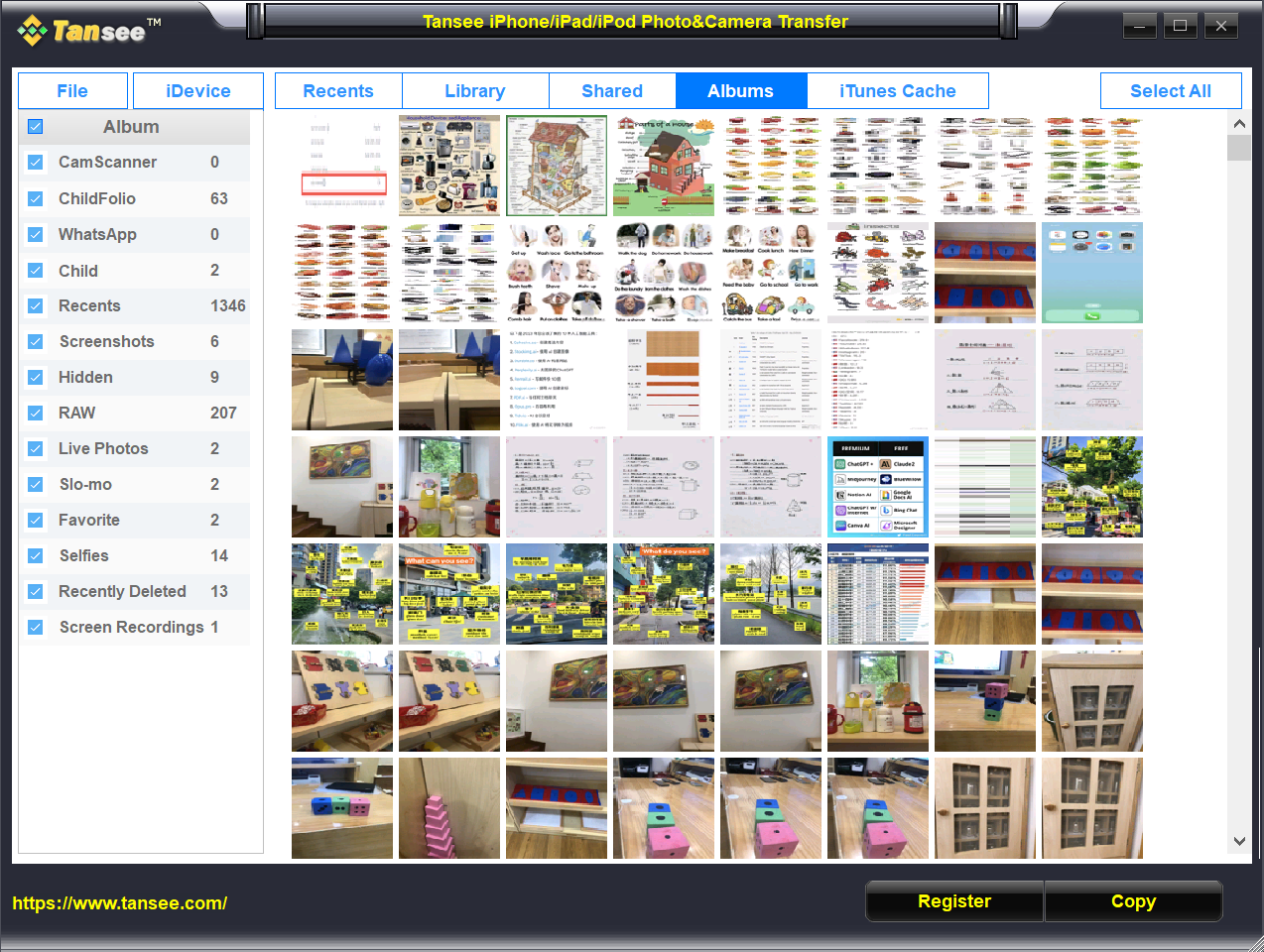
Step 3: Launch Tansee iPod Transfer Photo and all the photos in your iPod will display automatically, screenshot as follows:

Tansee iPod Transfer Photo- Copy iPod Photo

Step 4: Select the photos to be transferred to your computer, the selected file will marked with red border. You can select photos by click on each one, or just drag a rectangle to select a bundle of photos. You can also select all photos by click right button of your mouse.
Note: you can only select 6 photos if you haven't purchase.

Step 5: Click "Copy" button to select output path and start to transfer photos to your computer:

Tansee iPod Transfer Photo- Copy iPod Photo to PC


Options Setting

Click "Option" button to setting your back up features:
Tansee iPod Transfer Photo- Copy iPod Photos

1.Backup Resolution: To select the photo size to be backup.

2.Backup File Format: To select backup photo file format, Tansee iPod Transfer Photo support BMP and JPG file now.

3.Backup Path: To select directory for storing the backup photos. You can select backup directory for each photo during backup by check "Ask Every Time" or store all files in a specified directory by checking "Save Here" and select the directory in the edit box.

4.Backup Full Resolution: To check this checkbox, if you have choose "include full-resolution photos" in iTunes when sync photos to iPod, you can get the full resolution photos when you transfer photos by Tansee iPod Transfer Photo.

Trouble When Transfer?

Any problem or trouble about the transfer process, see here.

Can I Transfer Full resolution images to computer?

If you choose sync full resolution image when you using iTunes to sync iPod, You can get full resolution by Tansee iPod Transfer photo.


Most Asked Question

iPod Products Question:
How to Transfer Song/Video/Photo from iPod to Computer?
How to Transfer Song/Video from iPod to Computer?
How to Transfer Song/Video from iPod to iTunes Music Library?
Why Can't I Transfer Song/Video from iPod to Computer?
Why Can't I Transfer Photo from iPod to Computer?

iPhone Products Question:
How to Transfer Song/Video/Photo from iPhone to Computer?
How to Transfer Song/Video from iPhone to Computer?
How to Transfer Song/Video from iPhone to iTunes Music Library?
How to Transfer Photo from iPhone to Computer?
How to Transfer SMS from iPhone to Computer?
How to Transfer Contact from iPhone to Computer?
How to Restore Contact from Computer to iPhone?
Why Can't I Transfer SMS from iPhone to Computer?
Why Can't I Transfer Contact from iPhone to Computer?

Common Question:
How to Get Full Version of Tansee Products?
I Forget My License Code, How to Retrieve?
Is the Purchase Secure?


Tansee.com
Copyrights 2006-2009
All Rights Reserved