Tansee iOS Photo & Camera Transfer for Windows
-
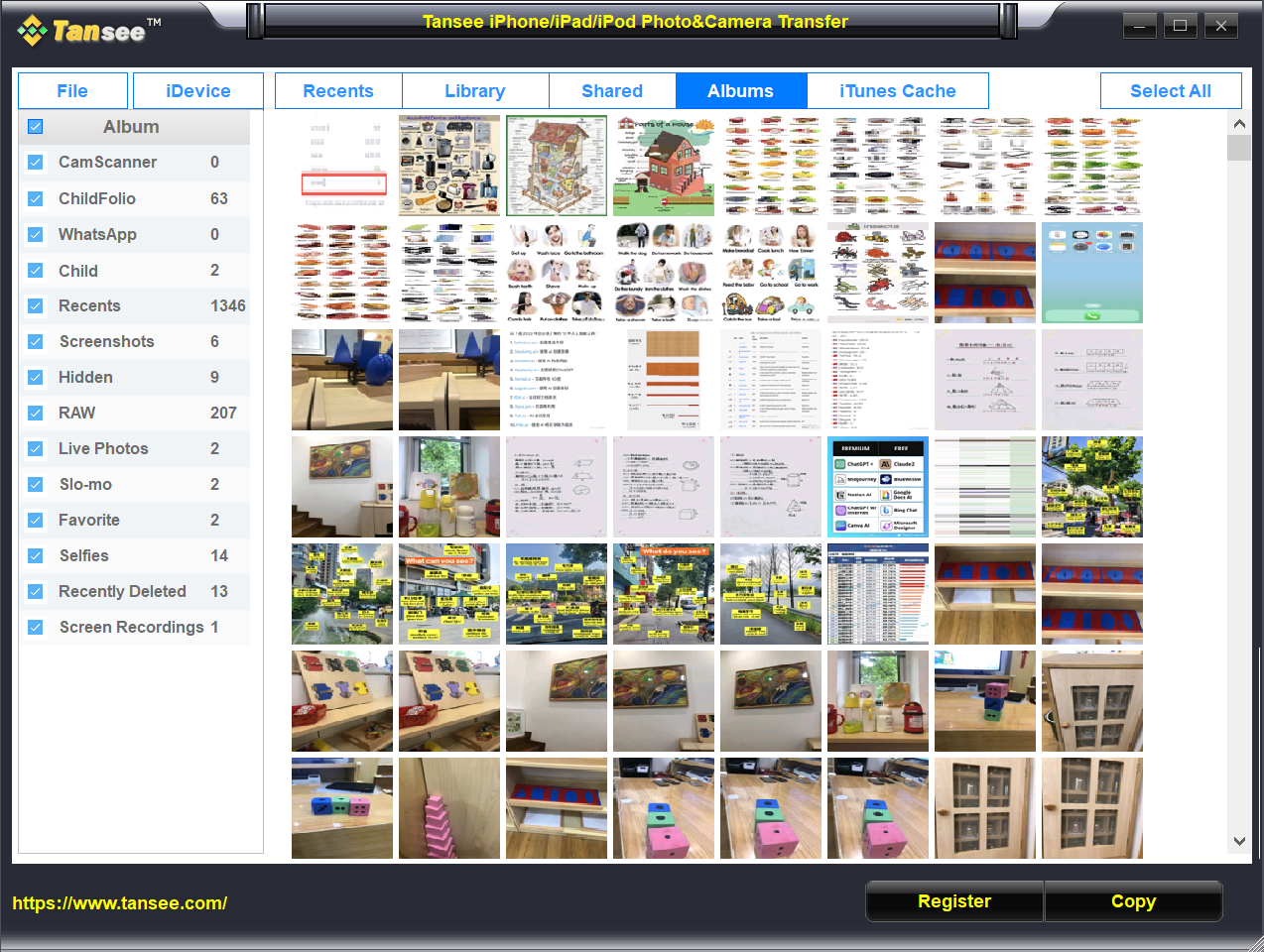
Save all photos and videos from your iPhone, iPad, iPod Touch or iPod to your PC.
-
Copy all the albums you created on your iPhone, iPad, iPod Touch or iPod to your computer.
-
Save Live Photos as still images along with the combined short video in MOV format.
Save all the original dates of the photos.
Smart photo classification, saved in smart folders.
Retrieve photos and videos from iTunes backup file.
Retrieve deleted photos and videos from the iPod Photo Cache.
View all iPhone, iPad, iPod Touch or iPod photos on PC.
- Windows 7 or above
- Windows on Arm

-
All Generations of iPhone, iPad or iPod Touch with iOS from iOS 1toiOS 26
- All Models of iPod
- All Models of Mac Formatted iPod
Get Your License

US$ 19.95 14.95
- Single computer license
- Unlimited iPhone, iPad, iPod Touch & iPod
- Receive license code immediately
- Manual subscription renewals
- Security HTTPS connection
- Free updates
-






US$ 35 24.95
- Single computer license
- Unlimited iPhone, iPad, iPod Touch & iPod
- Receive license code immediately
- Manual subscription renewals
- Security HTTPS connection
- Free updates
-
Extract and recover
Retrieve deleted photos and videos from iTunes backup file.
Retrieve deleted photos and videos from the iPod Photo Cache by converting .ithmb files to JPG.
Extract photos and videos from an iPhone, iPad, iPod Touch or iPod to Windows computer.
Save Live Photos as still images along with the combined short video in MOV format.
Convert HEIC and HEIF Photos to JPG Format without sacrificing quality.
Support for all iPods, including Mac-formatted iPods.

Retrieve photos and videos from iTunes backup file.
Retrieve photos and videos from the iPod Photo Cache by converting .ithmb files to JPG
Why Choose Tansee?
100% Secure
Ordering online is 100% secure! Virus-free download!
Privacy protection: Tansee is not connected to any cloud storage; all of your downloaded messages, music, photos, and other files are stored exclusively on your computer, ensuring their privacy. Only you have access to the data.
30-Day Money Back Guarantee
All products come with a 30-day money back guarantee.
Free 24/7 Customer Support
We provide effective email support with a quick response time every day.
20+ Years
Tansee has been a trusted brand for over 20 years, providing users with experience and continuous development.